Tuesday, 25 March 2014

3D game update - Pick ups

Today I started adding health, weapon and armor pick ups to my level, they're very easy to place, just select them from the actor class and drag and drop them into your level. I am not sure yet how many and where should I put the pick ups, I'll have to test them a lot to find the right places and amounts.

One thing that I want to change in the pick ups though, is the respawn rate, the pick ups automatically reappear after some time, I want to remove that from some of them, but i'm not quite sure of how to do that yet.

Health pick-up

Thursday, 20 March 2014

3D Game update.

Today was a slow day, I spend most of it fixing the lighting on the 5th floor(sauna). The problem is that I had to keep rebuilding the game all the time, so it consumed a lot of my time. But I managed to get a nice result with a dim light and the fog.

I also created the teleporter in the basement. I'm only using it because I couldn't get a ladder working for some reason. The next step is going to be adding the teleporters in the teleporter room and then adding A.I.

Top teleporter

Bottom teleporter with trigger activating teleport code

Lights and fog on 5th floor


Tuesday, 18 March 2014

Back to level building

With my to do and wish lists done, it's easier to focus on what needs to be done. Today I was trying to figure out how to add a teleporter, turns out since i'm using a UDK game type, I can't add the teleporter present in the actor classes, since they only work in a UT game type.

But I also got some more done, I added the lighting to the 4th floor and a couple of soundtracks. The 4th floor is going to be the teleporter room, which is basically a puzzle, but I didn't want the player to just keep trying different teleporters until he got the right one, so I'm going to make a puzzle on that floor. Each room will have a question and the answers will be on top of the teleporters so he can choose the right ones to proceed.

Teleporter to basement

Work Experience

Fro the past couple of weeks I haven't posted anything to this blog since I was on work experience. I went to Plymouth through the Leonardo da Vinci Programme, and was placed in the Marketing Department of City College Plymouth.

While not being in my specific area, the work placement was a very unique and fantastic experience. I improved my communications skills, learned work ethics in a professional environment and also learned more about games programming.

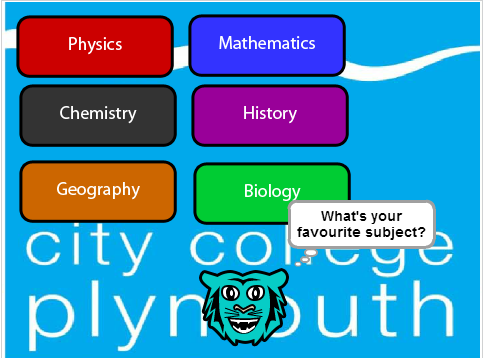
 My main tasks there were to upload and tag pictures in the College's website. Since it wasn't a very interesting task, I came up with an idea of a game where the game would ask questions about the user and in the end suggest him suitable careers and courses.

Sample of the game I created

To do and wish list for my game

These two lists are things that need to be done so I get full marks, and what I ant to add to my game, red means no progress done and blue means that it's almost done.

·        Pre – Production:
o   Analyse Game structure and Produce Plans and logs for Edit
Status: Almost done – Game dev sheets
o   Utilise social Networking tools to document development of projects
Status: Done – Learner Record
o   Identify game progression challenges appropriate to the game.
Status:
o   Create game concept art
Status:  Done – Concept Board
o   Evidence of level mapping
Status: Almost done – sketch the remaining floors
·        Production:

o   Basic Level Structure
Status: Done
o   Correct use of static meshes
Status: Done
o   Physics and Particle systems
Status: Almost done – Improve placement
o   Create AI for enemies or friendlies
Status:
o   Realistic Lighting
Status: Almost done – check 4th and 5th floor
o   Sounds
Status:
o   Into/cut/end scene
Status: Almost Done – create end scene
·      Post- Production:
o  Game Q&A
Status:
o  Package
Status:
o   Game Design Report
Status:
Wish list:
  • ·        Add door puzzle linking to water volume
  • ·        Finish Teleport Room
  • ·        Place more static meshes

Friday, 28 February 2014

Textures Assignment / UDK Game Update

During this and last week I had time to finish my textures assignment, which asked me to create 5 textures for my game. I've uploaded screenshots of the final textures in the level.


Applied texture

Tuesday, 25 February 2014

Animations

Today I learned how to create a cinematic. Nothing fancy or difficult, I just created a camera animation, showing the player where he has to go after solving one of the puzzles in the level.

I followed the tutorial on World of Level Design, I recommend you guys check it out, it's very good.

I only used for a simple camera movement so far, but you can create a lot of cool stuff with it. I plan to add more on my level, for the intro and end scenes.

Camera actor used in animation